1. Lesson Objectives: Know what is included in 迷妹网 Coding Set; know how to pair; understand the various coding blocks; understand how to place coding blocks and finally how to start coding.
2. Time: 30 mins
3. Language: English
4. Format: Completely Online
5. Level: Intermediater
Unit List:
1. The structure of Activity Cards for VinciBot
2. Activity Demos
Unit 1. The structure of Activity Cards for VinciBot
1.1 Activity Cards for VinciBot:
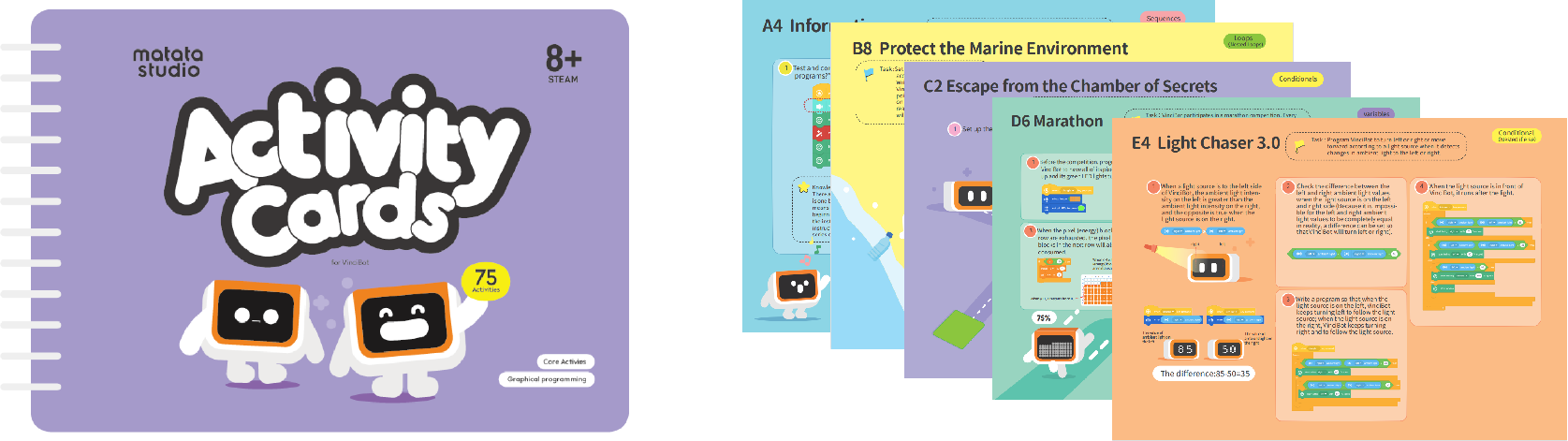
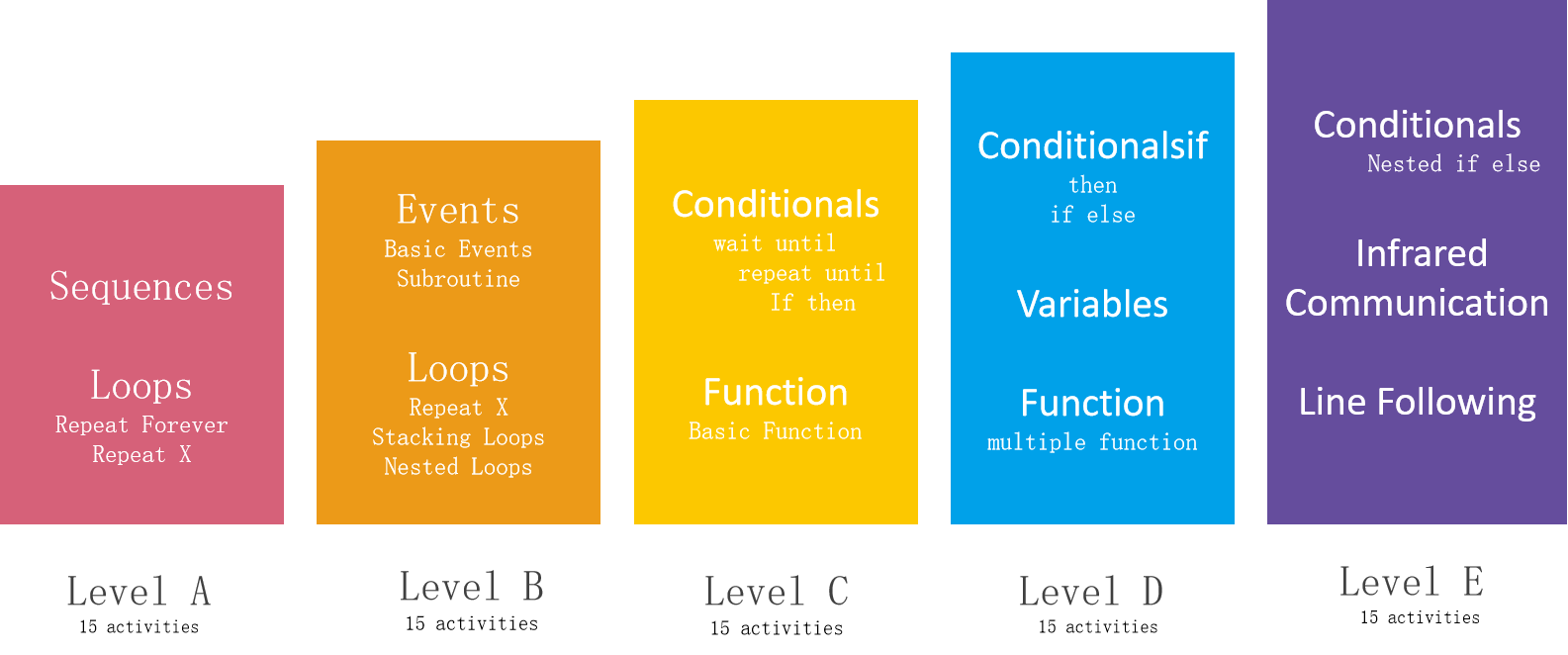
Activity Cards for VinciBot is also the Core Activities. It is divided into 5 levels: A, B, C, D, and E. The five levels’ activites are progressive, and each level contains 15 activites, for a total of 75 activites.
3.2 Core Activity Scope & Sequence:
Note: Start from Leve A for all beginners no matter how old the students are. Pacing can be adjusted to how quickly your class move through the content.
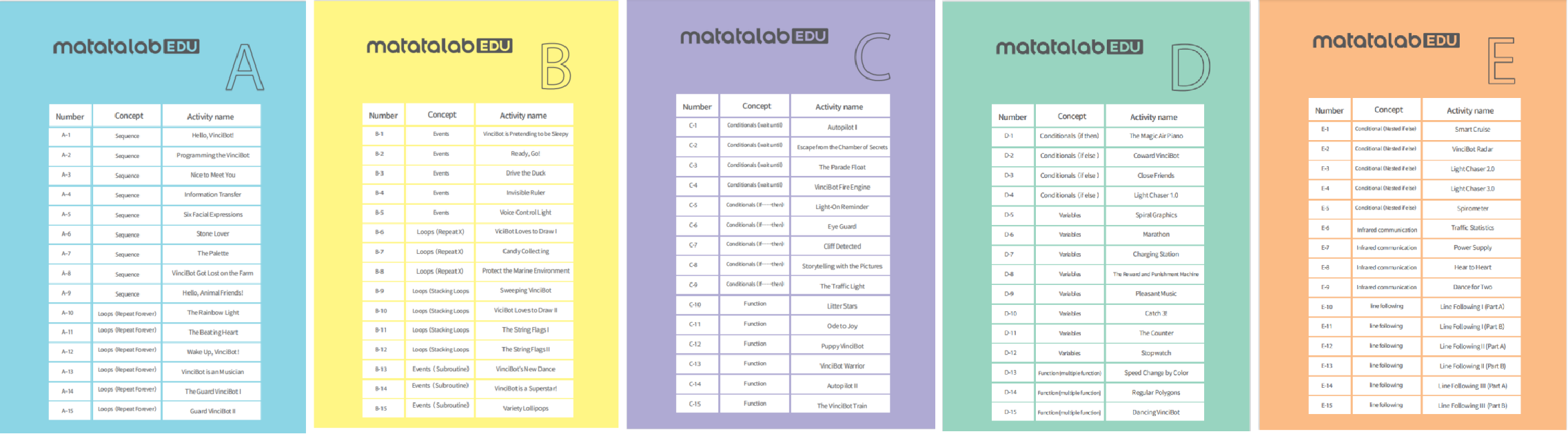
3.3 Core Activities Table of Contents:
Unit 2. Activity Demos
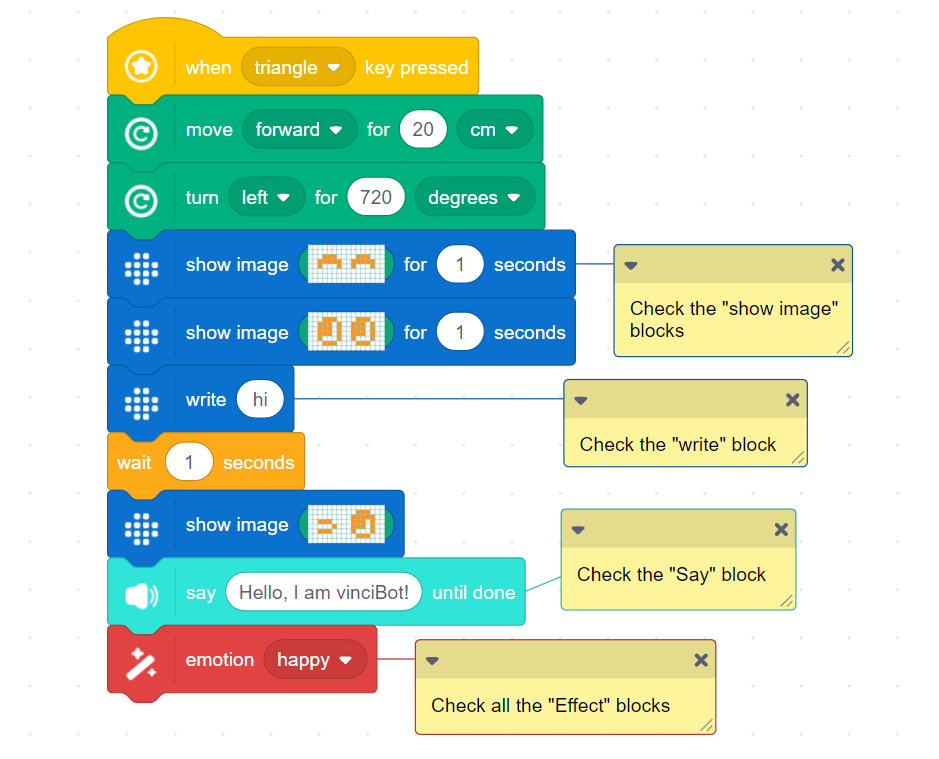
2.1 Core Activity One: Hello, I am VinciBot! (Sequence):
Know some special coding blocks or functions of VinciBot.
Check the Video:
A2 15岁macbookpro日本 the VinciBot
A3 Nice to Meet You
A4 Information Transfer
2.2 Core Activity Two: The Rainbow Light (Loops):
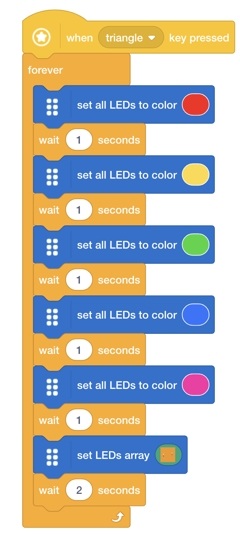
Get familar with the 6 LED lights and the “wait” coding block.
Question:Why we need to use the Wait coding blocks in this program ?
When several “state”blocks of the same category are used continuously before and after, the previous state will end instantly, and only the last state will appear. In order to ensure that each state can be displayed, it is necessary to usethe wait codingblock.
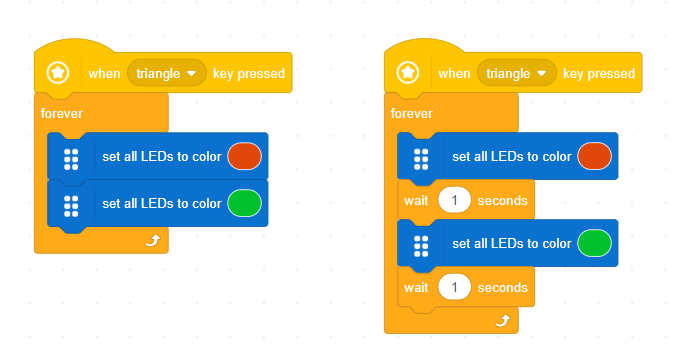
Question:What is the difference between these two programs? Test and describe the effect of these two programs on VinciBot.
Check the Video: A10 The Rainbow Light
2.3 Core Activity Three: The Great Matrix Screen:
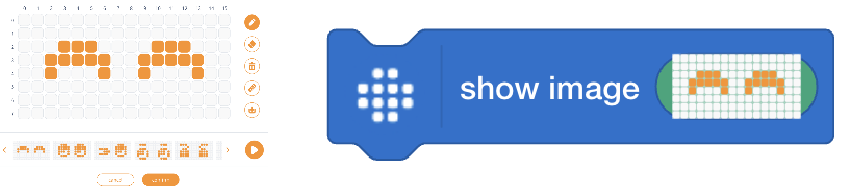
Familarize with how to use the matrix screen
①“Show images” , such as expressions or icons.
Check the Video: A5 Six Facial Expressions,D9 Pleasant Music
②“Write” English letters, words, or numbers.
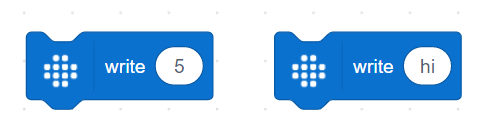
Check the Video: A4 Information Transfer
③Displays the values of detected ambient light, distance and sound, etc.
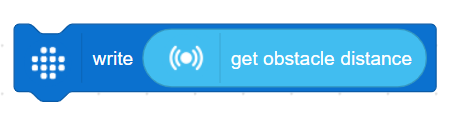
Check the Video: B4 Invisible Ruler
④Displays the operation result.
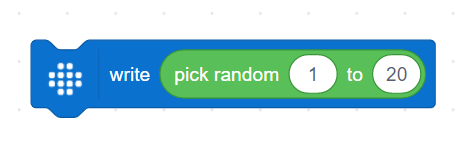
Check the Video: D10 Catch 3!
2.4 Core Activity Four: Eye Guard (Conditionals):
The difference between the “If...then,” “wait until,” and “repeat until” statements.
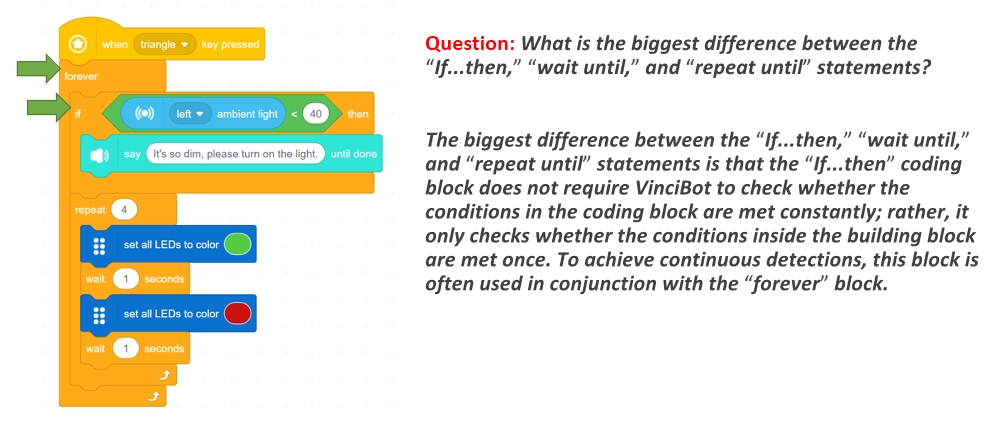
Check the Video: C5 Eye Guard
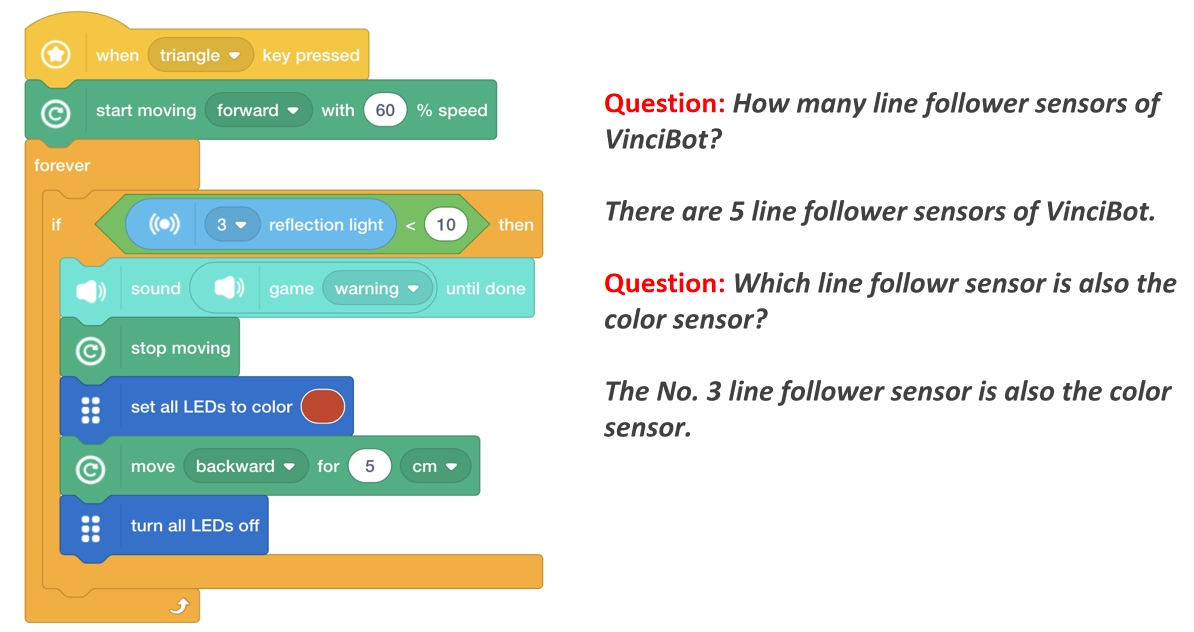
2.5 Core Activity Five: Cliff Detected (Conditionals)
How to use the reflection light of the line follower sensors.
Check the Video: C7 Cliff Detected
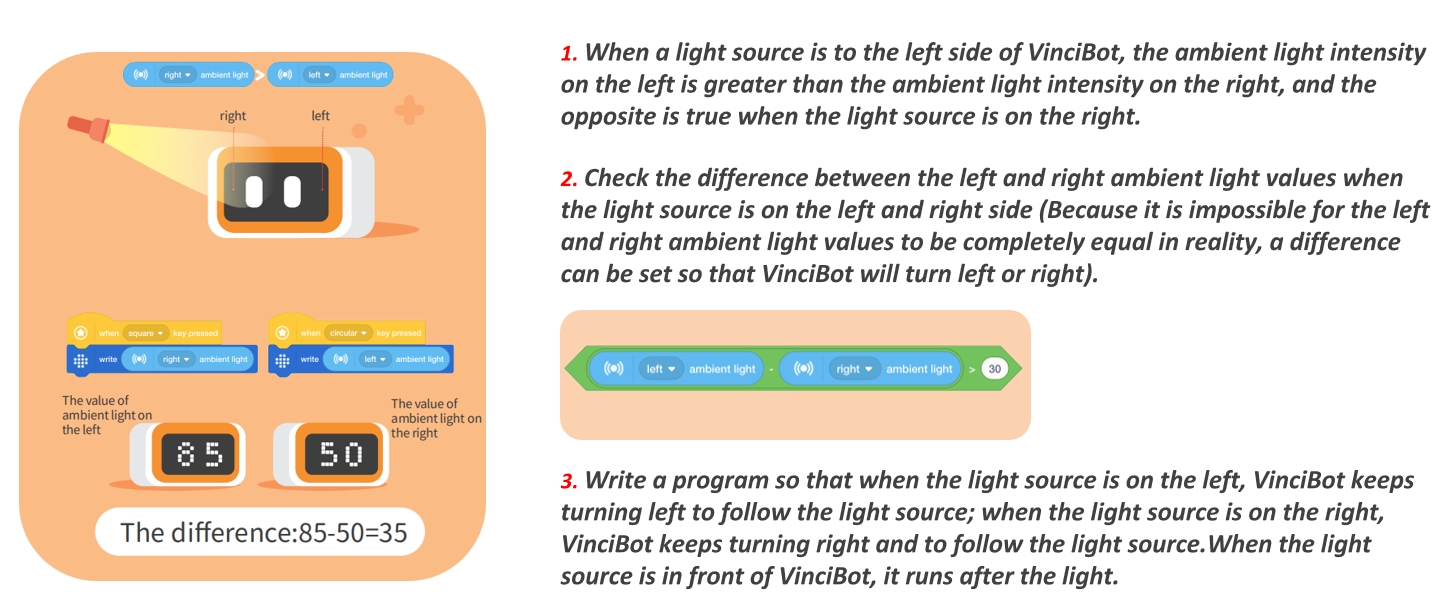
2.6 Coding Blocks Placement:
How to use the light sensors.
Check the Video: E4 Light Chaser 3.0
2.7 Core Activity Seven: Dance for Two:
How to use the Infrared communication.
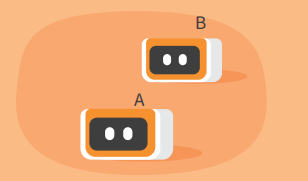
①Set up VinciBot A and VinciBot B in a straight line, one after the other.
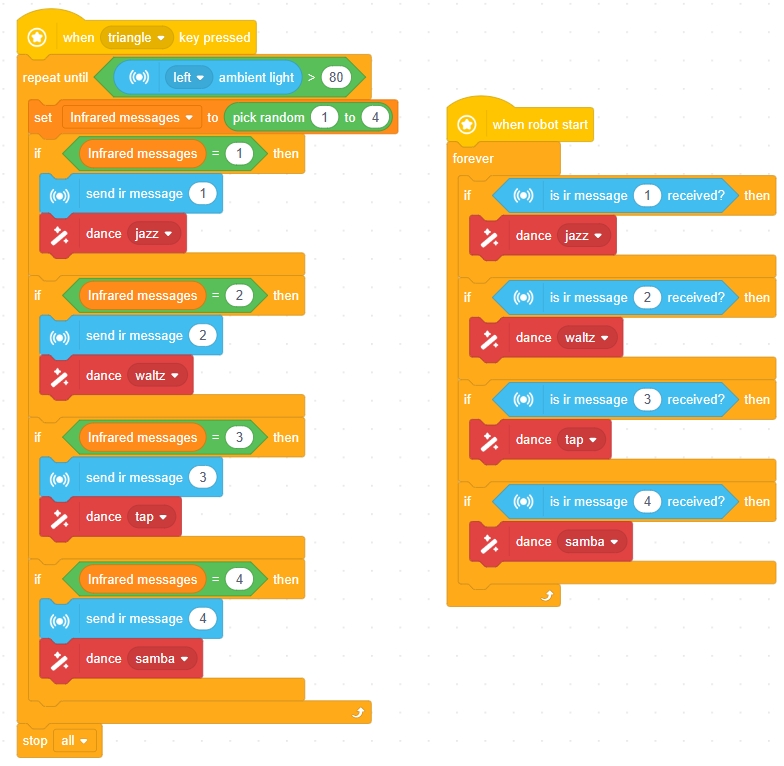
②Create a variable "infrared message", set the variable to take a random value between 1 and 4, and send different infrared messages through different variable values (different infrared messages may be sent randomly).
③When VinciBot B sends an infrared message and starts dancing, VinciBot A receives the corresponding infrared message and performs the same dance simultaneously.
④Set the condition for VinciBot B to stop dancing: when the ambient light intensity is greater than 80.
Check the Video: E9 Dance for Two
2.8 Core Activity Eight: Line Following (Easy Way):
How to write a line following program using line following sensors detecting black or white blocks.
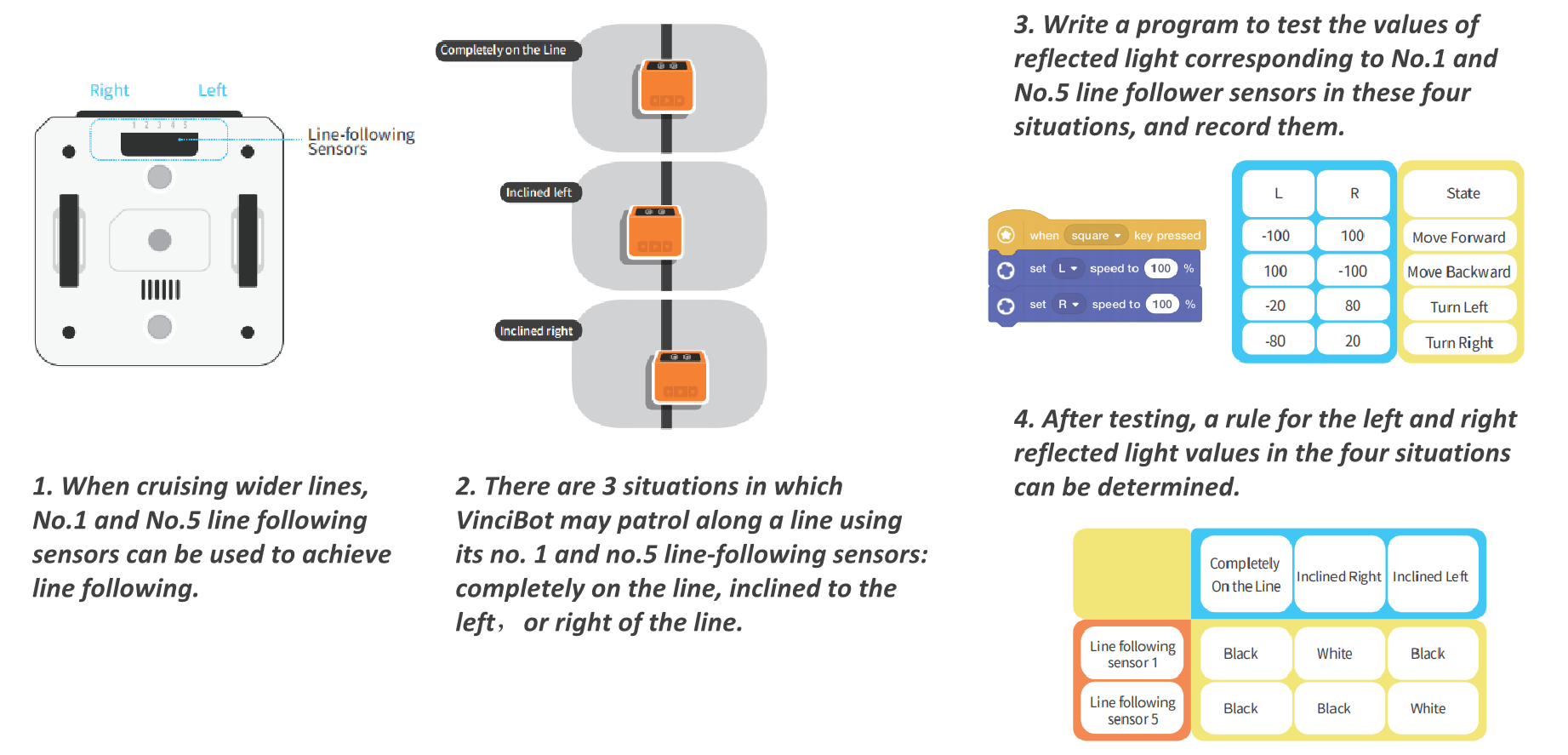
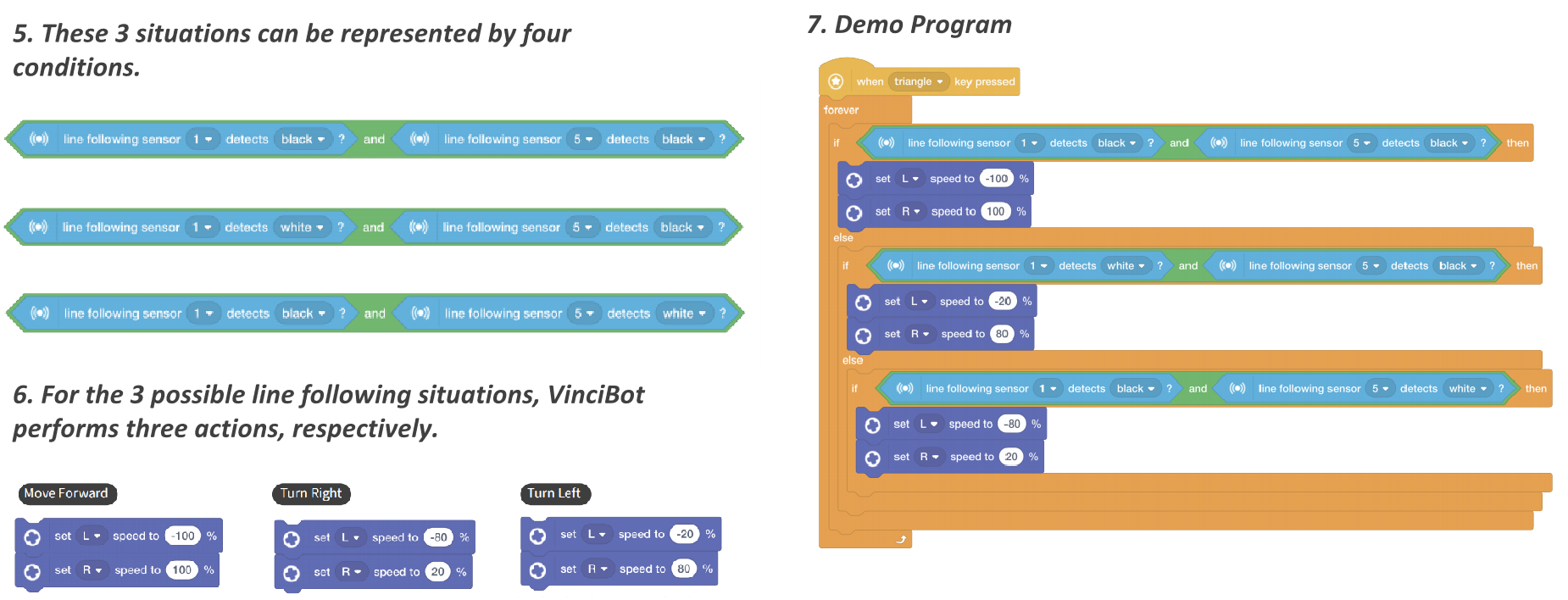
Check the Video: Line Following I
There are other ways to achieve line following:
Line Following II: Line following program using the No.3 line following sensor (color dectect sensor).
Line Following III: Line following program using No.2, No.3 and No.4 line following sensors.
2.9 Core Activity Night: Line Following (Hard Way):
How to write a line following program using No.1 and No.5 line following sensors and the reflection light value.
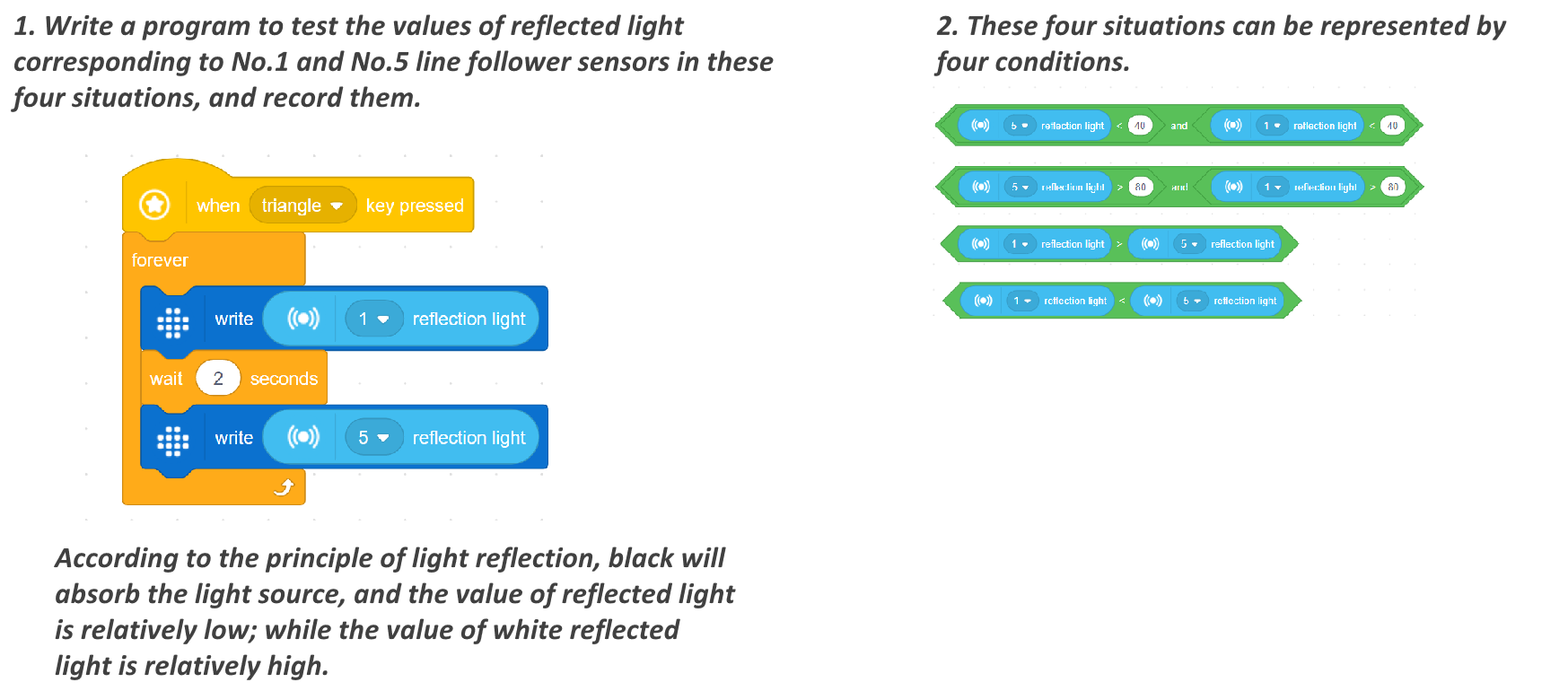
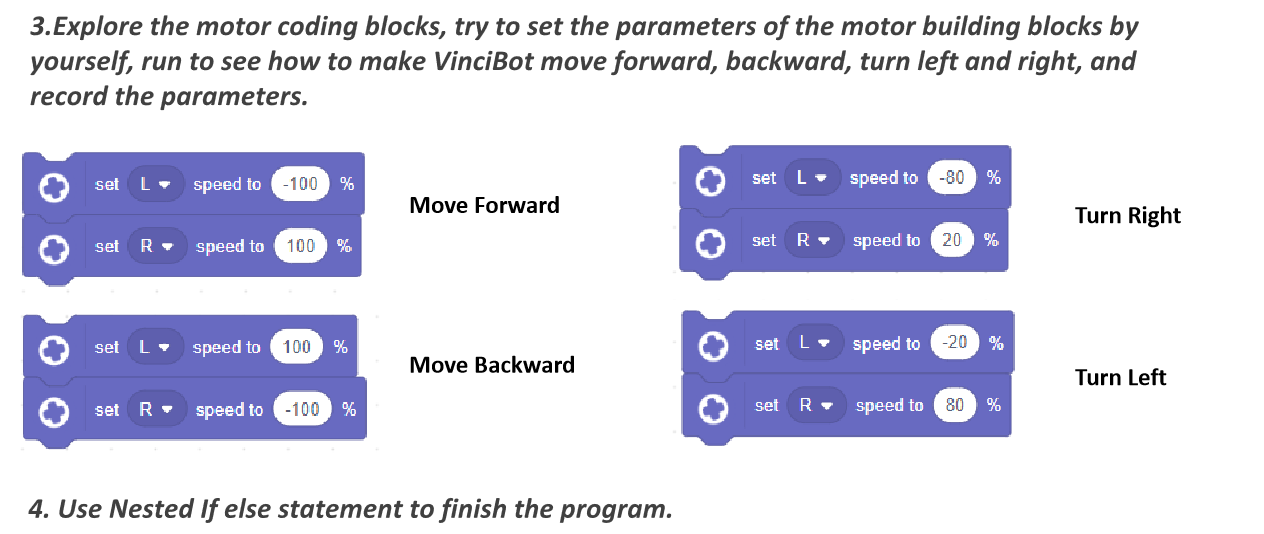
Check the Video: Line Following I
There are other ways to achieve line following:
Line Following II: Line following program using the No.3 line following sensor (color dectect sensor).
Line Following III: Line following program using No.2, No.3 and No.4 line following sensors.
Copyright © 2023 迷妹网 CO., LTD. All Rights Reserved